







Change owner of a hiring process
Circumstances can change mid-process. Someone leaves, is away, and responsibility needs to shift. You can now reassign ownership of an ongoing hiring process without losing any progress.
The new owner picks up exactly where the process left off and automatically receives the relevant tasks and updates on their dashboard, while the previous owner's cards and tasks disappear. The change can be made by an admin or by the current owner of the process, and the new owner must have the appropriate rights for managing hiring processes.
End employment with more control along the way
The termination process has received a number of updates that make the process clearer and more flexible, regardless of how complex the situation is.
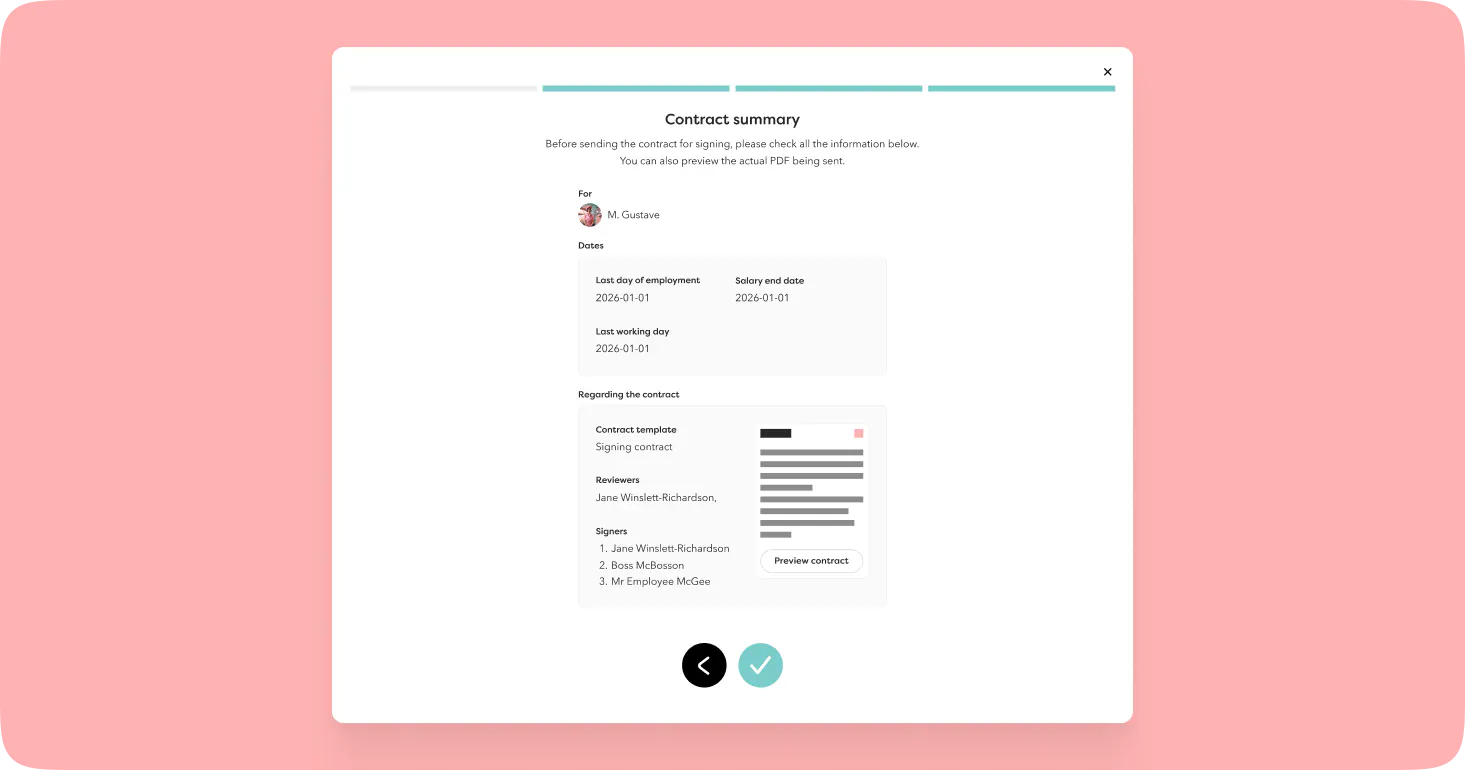
Signing determines the timing. If you choose to include a contract for signing, the employment and salaries won't be terminated until the signing is complete. In the meantime, the employee's profile clearly shows that a termination is in progress, so no one needs to guess at the status.
Reviewers can be added to the signing flow. They can approve or decline the contract and leave a comment if declining. The comment appears directly in the ongoing process on the profile, in the same way as when adding a new employment.
A few things to be aware of:
- If you remove an ongoing termination, you can still sign the contract
- If you cancel the signing, the entire termination process is removed
Rich text in hiring templates
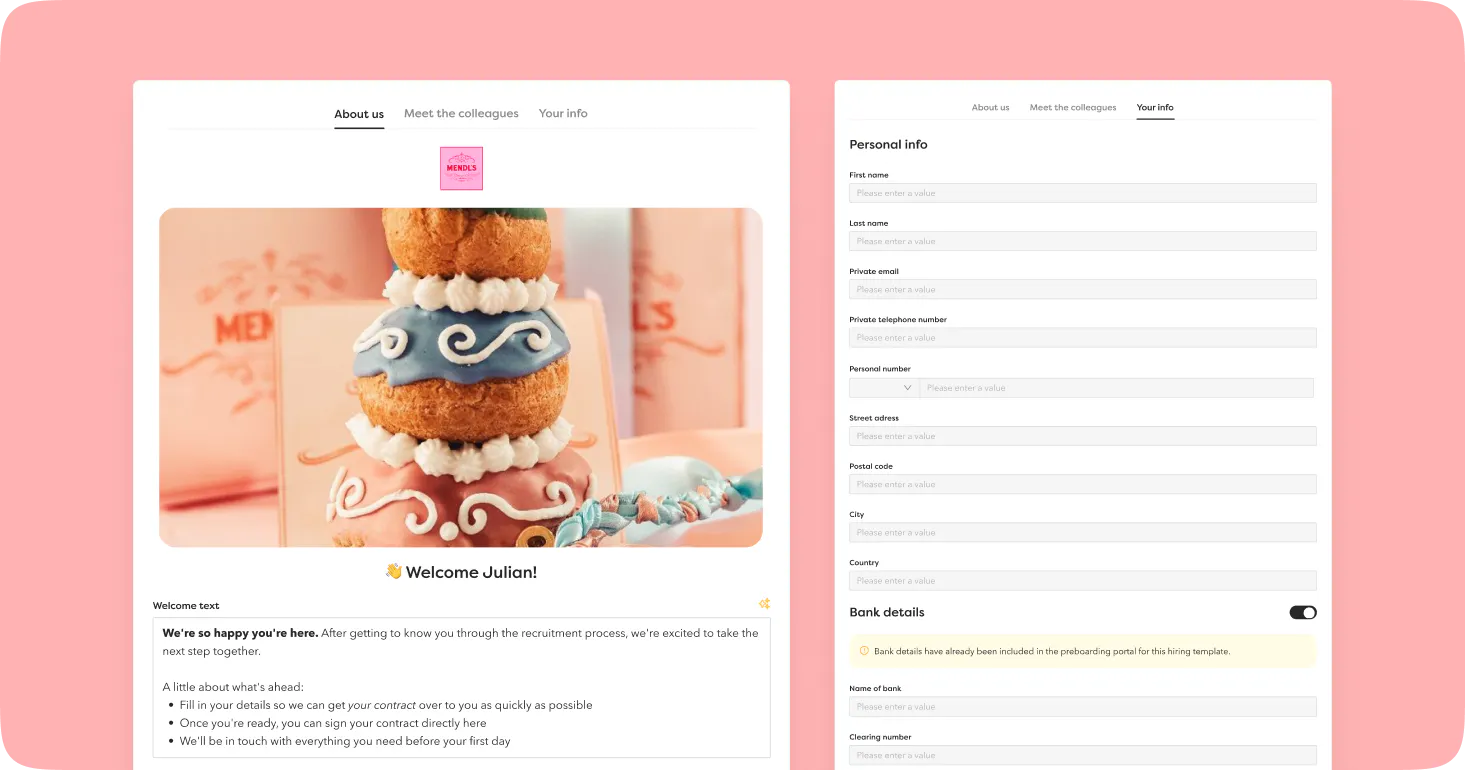
The welcome text for the candidate portal and preboarding portal can now be written using rich text, giving you the freedom to format and customise it however you like.
We also show which information the candidate will fill in under "Your information", so you know exactly what they'll see on their end.
Claim and reassign tasks
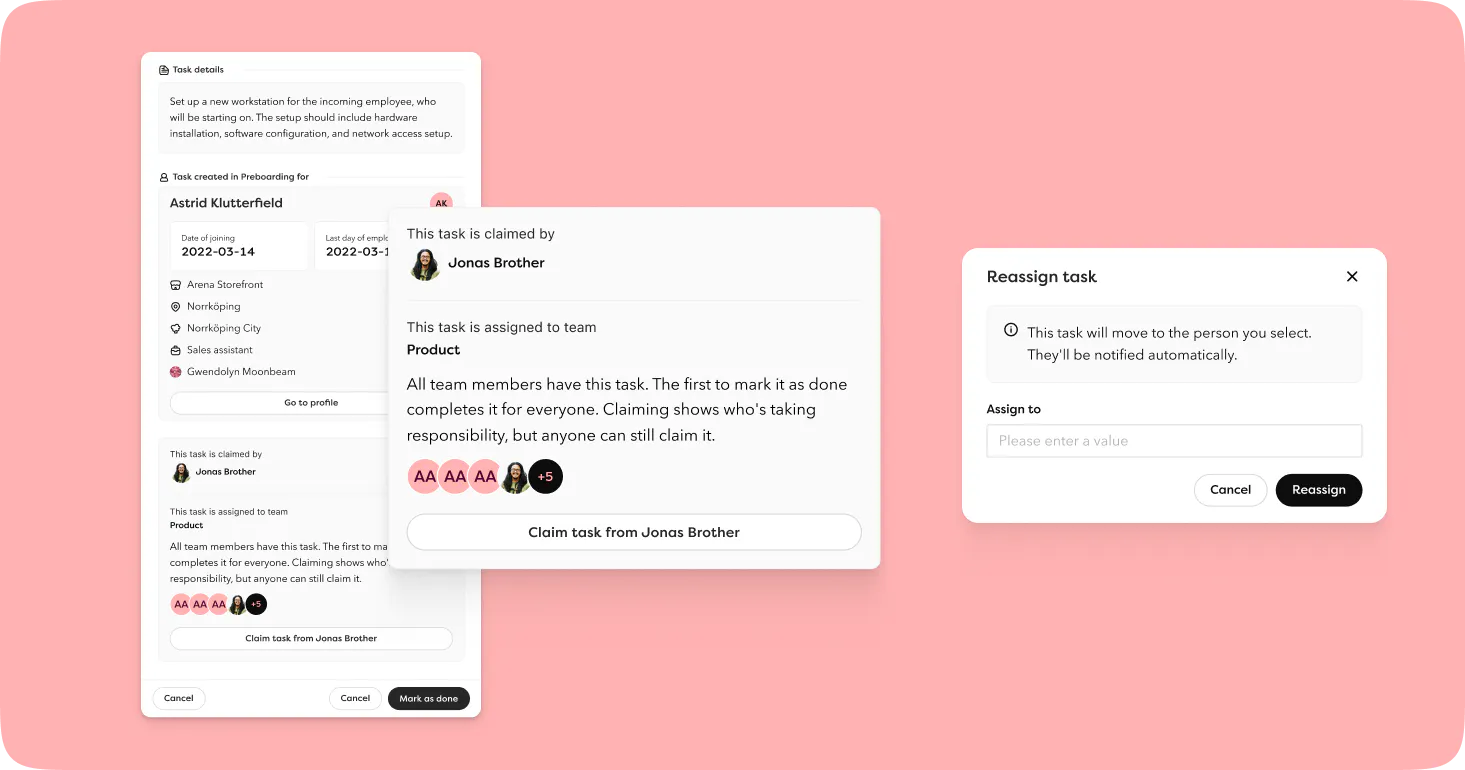
Claim a task. Tasks assigned to a task force or team can now be claimed by an individual. Others can see who has taken responsibility, but can also claim back the task or mark the task as complete if needed.
Reassign workflow tasks. Employees with access can now reassign workflow tasks to another person. The new owner receives an email and the task lands with the right person straight away, without you having to keep track manually.
Updated design in the task list. Start date and last day of employment are now shown directly in the list, making it easier to understand the context behind a task.
Educations - more detail per session
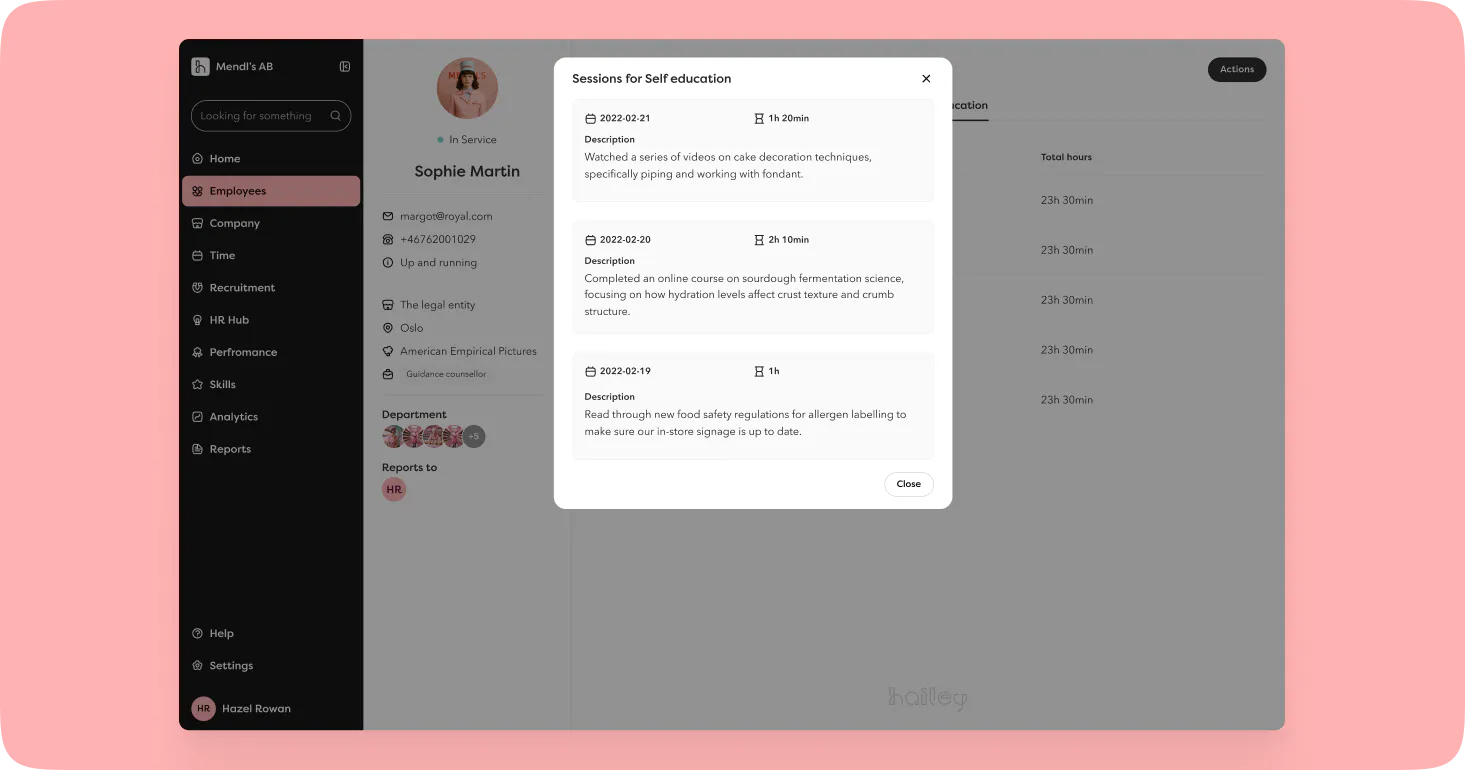
You can now add a description to each education session, giving every entry its own context. This is particularly useful for organisations that encourage employees to document their own development. An education session such as "Self education" can contain sessions with entirely different content whilst still being kept together.
You can also add multiple dates in the same interaction for education that spans several days.
The description is shown in the education overview, when updating a session, in the export and on the employee card.
Pause a Pulse Survey
An active Pulse Survey can now be paused, stopping all future sends. The survey is given the status "Paused" until you choose to resume it, handy during quieter periods such as the summer months.
Hailey MCP
We've launched an MCP server for Hailey. This is the foundation for allowing AI agents to work with your HR data securely and with the structure they need to be genuinely useful.
Once activated, employees with edit integration rights can generate a personal access token and connect Hailey to their AI tools of choice.
Through the integration, you can ask questions about your organisation directly in an AI interface: who reports to whom, when a specific employee started, how many people work in a given department. Permissions control what's accessible, just as with the open API.
This first release is read-only and covers employee data. Write functionality, additional data sources and full agent support are on the roadmap. The foundation is in place.
API updates
Competencies. Two new endpoints: retrieve all competencies set up in settings, and competencies per employee, with or without ranking.
Employments and casual employments. Four new endpoints for retrieving employments individually or as a list, with separate endpoints for casual employments. The API token's permissions determine what's returned.
Time off via API. Time off imported via the API that meets Hailey's criteria for long-term leave is now automatically created as such.
Integrations
Microsoft SSO. When signing in with Microsoft SSO, you now actively choose which account to use. Useful for anyone with both a personal and a work account.
Netvisor. We've updated the encryption keys in line with Netvisor's latest changes. We've also improved the handling of employments with a probationary period end date during sync, and removed the option to change the "sync from date" directly in the configuration to avoid unexpected issues.
Bits and pieces
- More retention options in GDPR settings. Choose from 3, 4, 6, 7, 8 or 9 years for data retention.
- Scope custom employment fields by title. Want a field to only appear for a certain role? Now you can.
- Link company goals to a legal entity. You can now update which legal entity a goal is associated with.
- Visible until date for news posts. Set a date for when a news post should stop appearing on the dashboard. It's archived automatically the following day.
- Reactivate salaries with an end date, whether that date is in the past or the future. If approved, the end date is cleared and the salary becomes active at the same amount. The change is reflected in the salary change report.
- Week numbers are now shown in the time and time off calendar on the employee card.
- IBAN, BIC and SWIFT have been added to the GDPR list.
- Whistleblowing settings have been moved to the incidents tab for admins.
- Filter previous 1-2-1s by type, in addition to the existing date filter.
- All pages in Hailey can now be opened in a new tab.